
House Guide
📍 Finding the Villa
Location: Sugar Ridge, Valley Road (residential entrance)
Enter through the Sugar Ridge residential security gate.
Continue uphill.
Take the first road on the right.
Villa 28 – Kokomo is the second house on the right (only two houses).
🚗 Parking: Please park in the driveway only. Do not park on the road.
📶 Wi-Fi
Network: JOLLY VIEW WIFI
Password: connect1
📞 Property Manager
For all questions or anything other than emergencies please contact host through rental platform.
In case of emergencies ONLY
Liz / Peta – Casenya
Phone / WhatsApp: +1 268 724 7929
🔐 Entering & Locking the Front Door (Keypad)
The door seal is tight, so correct pressure is important. Once you get the feel for it, it’s easy.
To Unlock (Outside)
Enter the code.
Press the “Teeho” button at the top while firmly pulling the door toward you.
You’ll hear whirring followed by two beeps.
Push the door open.
If it flashes green/red: Keep pulling firmly—the lock will retry. If it fails after a couple attempts, re‑enter the code and try again.
To Lock (Outside)
Close the door fully.
Pull the door toward you firmly.
Long‑press the Teeho button (2 seconds).
You’ll hear whirring and two beeps. Push the door to confirm it’s locked.
Locking/Unlocking from Inside
Lock: Push door firmly closed and turn the back of the lock clockwise.
Unlock: Push door and turn the lock anti‑clockwise.
Troubleshooting Tip: Always apply pressure (pulling or pushing) to align the lock.
👟 Shoes
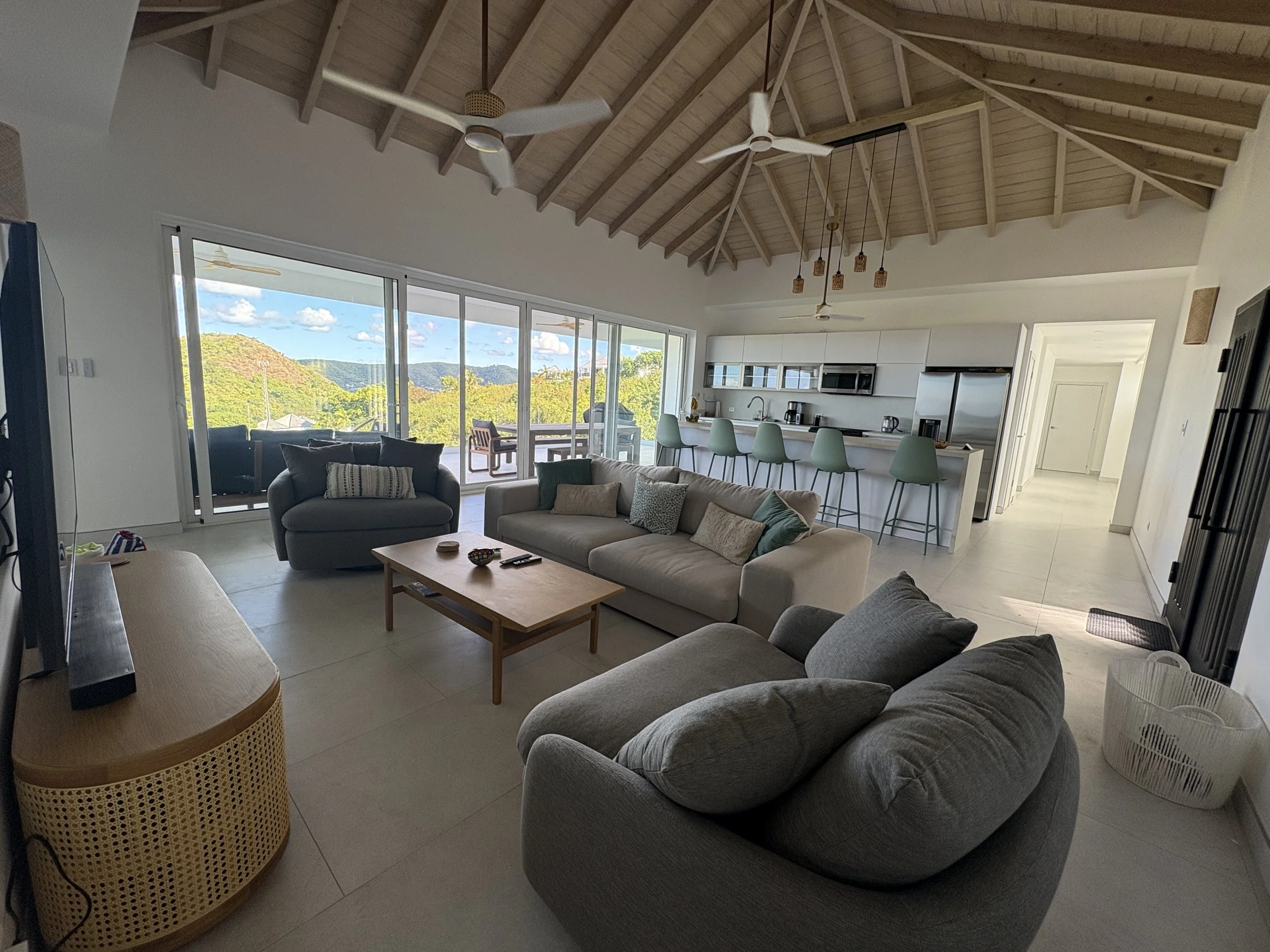
To protect the tiles and reduce insects, please remove shoes upon entry. Use the white basket by the front door.
🍽️ Kitchen Notes
Drawers (Handle‑less & Soft‑Close)
Top island drawers & between fridge and oven drawers: Pull to open.
Middle & lower drawers: Push firmly at the top center to open.
To close, give a gentle push only—they will softly close on their own.
⚠️ Please do not force drawers shut.
📺 TV, Soundbar & Remotes
Most rooms have 5 remotes. - Hurricane Shutters, Air Con, Fan. TV and soundbar
Soundbars connect via Bluetooth.
If no sound:
Put soundbar into BT mode (via its remote).
Select it from your device or TV Bluetooth menu.
🌬️ Air Conditioning (Mitsubishi)
Use the wall-mounted unit remote, Mitsubushi remote
Recommended setting: ❄️ Cool mode, 21.5°C, Eco if desired.
Modes:
❄️ Cool
☀️ Heat
💧 Dry (dehumidify)
🌀 Fan only
🔁 Auto
Point the remote directly at the unit when changing settings.
🌀 Ceiling Fans & Lights (Interior)
Wall switch = power on/off
Remote = fan speed, direction, and light
Fan direction: Keep anti‑clockwise (R) (cooling mode).
Light temperature:
Quickly switching the switch will toggle the fan and light off/on and the lighting setting warm ↔ cool.
If the fan doesn’t respond, check the wall switch first.
🌴 Outdoor Fans & Terrace Lights
Outdoor fan remotes (black) are in the top left kitchen drawer.
Wall switches (by sliding doors / primary bedroom) control power.
Lighting:
Most exterior lights are automatic (dusk–dawn).
Pool lights are not on sensors, please switch off when not in use via the panel near the primary bedroom.
Please turn off non‑essential lights overnight.
🪟 Hurricane Shutters
Use the slim remote with up/down arrows. Shutters roll like storefront doors.
🛏️ Bedside Reading Lights
Battery powered (USB‑C charging cables provided).
Tap the back to cycle through 3 brightness levels.
Fourth tap turns off.
If unresponsive, recharge—can be used while charging.
🚿 Showers
Choose between rain head and hand hose using the small dial on the tap:
Turn clockwise (toward wall) for rain head
Turn anti‑clockwise for hose
💧 Water & Ice
Fridge dispenser is not connected (local water not ideal for drinking).
Please use bottled water for drinking, kettle, coffee machine, and ice trays.
🗑️ Trash
Pull‑out bin is next to the oven.
No need to separate recycling.
Use the small covered bin for food scraps.
🚮 Please remove trash when full and dispose in the communal skip:
On your way out of Sugar Ridge, last right turn before the exit gate.
⚠️ Do not leave food waste out - it attracts insects quickly.
🧺 Laundry & Appliances
Dishwasher: Rinse dishes, use tablet/powder.
Washer (top‑load): Add clothes, then detergent sheet/tablet.
Dryer: Please leave a window and the laundry door open during use.
🏊 Pool
Serviced weekly and before your arrival.
Pool staff may enter via the pool deck only if scheduled.
A net is provided for leaves during your stay.
🧼 Cleanliness & Mid‑Stay Cleaning
We’re in a tropical environment—help us keep insects outside:
Clean spills promptly.
Use mosquito screens where possible.
Cleaning supplies under the sink; vacuum/mops in laundry room.
🧹 Mid‑stay clean provided for stays over 7 nights (available on request for shorter stays).
🔥 Grill (BBQ)
Gas grill with propane tank.
Open gas by turning the black knob slightly (do not fully open).
⚠️ If gas is low or you hear hissing, turn off immediately and contact us. Please do not change tanks yourself.
⚠️ Safety
Fire extinguishers: under kitchen sink (small) and a larger red unit.
Children under 12 must not be on the lower deck unattended.
Do not lean on glass railings.
No smoking or lighting candles
No jumping or horseplay on the Murphy bed.
Top bunk: not for children under 7
🦟 Burning & Mosquito Control
Use mosquito coils only in the bronze holder provided.
There are plug in units that help keep insects out, they will light blue when on, found around the Villa.
❗ Accidents & Damages
Accidents happen—please inform us promptly so we can repair or replace items for future guests.
🚕 Taxi & Transport
MightyMouse Taxi
Phone / WhatsApp: +1 268 732 0518
*Requires advance notice to pay by card.
🚙 Car Rental
Sunny Rentals - based in Sugar Ridge
+1 268 764 7610
Pineapple Car Rentals - based in Jolly Harbor
+1 268 771 9422
Vamps Car Rental - +1 268-722-5784 - Delano
Bigs - Car rental, Taxi service, VIP airport arrival
www.bigscarrental.com
+1 268-562-4901Car Rental
Sunny Rentals - based in Sugar Ridge
+1 268 764 7610
Pineapple Car Rentals - based in Jolly Harbor
+1 268 771 9422
Vamps Car Rental - +1 268-722-5784 - Delano
Bigs - Car rental, Taxi service, VIP airport arrival
www.bigscarrental.com
+1 268-562-4901Car Rental
Sunny Rentals - based in Sugar Ridge
+1 268 764 7610
Pineapple Car Rentals - based in Jolly Harbor
+1 268 771 9422
Vamps Car Rental - +1 268-722-5784 - Delano
Bigs - Car rental, Taxi service, VIP airport arrival
www.bigscarrental.com
+1 268-562-4901
🗺️ Getting Around & Local Tips
Please check the Guide to the Area for recommended beaches, restaurants, groceries, and local experiences.
Bring ID, a lot of places require ID to pay with credit cards
Bring cash; Beach bars, taxis and some restaurants only take cash in Antigua
Nearerst ATM is in Epicurean
Nearest Gas Station is on the dock by Al porto in Jolly Harbour
🧳 Check-Out
Please follow the check-out instructions provided prior to departure.
🌺 Thank You
Thank you for treating Villa Kokomo with care. We hope you relax, unwind, and enjoy everything Antigua has to offer.